Mastering the Cleaning and Sanitation of Your POS Equipment: An Expert Guide
As point-of-sale (POS) technology becomes central to business operations, ensuring the cleaning and sanitation of your POS equipment is no longer just best practice—it’s essential. Daily, countless transactions flow through these devices, exposing them to persistent touch, dust, spills, and pathogens that threaten both hygiene and performance. In this educational guide, we reveal step-by-step protocols for safely and effectively cleaning POS terminals, card readers, pin pads, and peripherals, empowering you to safeguard health, prevent contamination, and maintain optimal device function. Whether you manage a retail store, office, property, or commercial facility in Chicago, the insights and checklists below will help you protect staff, customers, and your bottom line. Quick Cleaning presents this comprehensive resource built on proven industry standards and local expertise.
Understanding POS Equipment Hygiene Risks in Commercial Settings
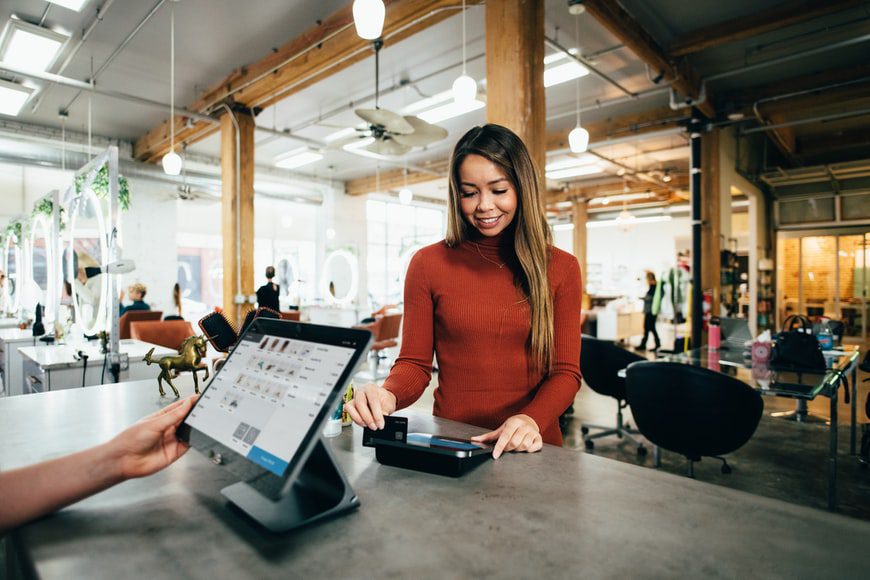
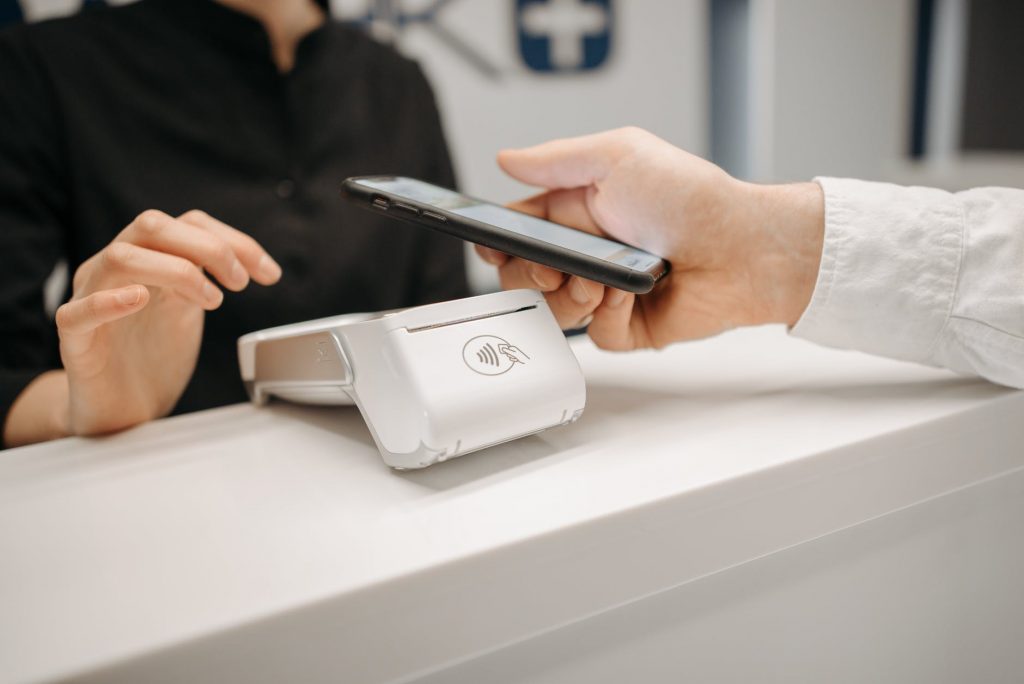
POS equipment is a hub for daily touchpoints—each card swipe or button press collects traces of bacteria, viruses, dust, food residue, and allergens. In commercial and retail environments with high transaction volume, the risk of cross-contamination rises sharply. Scientific guidance from authorities such as the CDC illustrates that shared surfaces can harbor pathogens far longer than expected, allowing transmission between customers and staff. This makes systematic cleaning and disinfection of POS equipment a key part of any hygiene protocol—not just for compliance, but to protect public health and uphold your business reputation.
- POS pin pads rank among the most highly touched surfaces after restroom fixtures in many stores.
- Touchscreens and keypads are often missed in routine janitorial rotations.
- Improper cleaning (like spraying solution directly on electronics) can cause permanent damage or equipment failure.
Typical POS Devices: What Needs Cleaning and How Often?
POS environments include a range of devices, each needing specific care:
- Touchscreen terminals
- Credit/debit card readers
- Keypad pin pads
- Barcode scanners
- Cash drawers and receipt printers
Understanding the frequency and method for each device is crucial:
| Device | Recommended Cleaning Frequency | Relevant Cleaning Method |
|---|---|---|
| Touchscreen terminal | After every shift or spill | Wipe with lint-free cloth and suitable disinfectant |
| Card reader | Multiple times daily | Alcohol wipe; avoid liquids entering slit |
| Keypad pin pad | Hourly in high traffic | Surface disinfectant towelette; no soaking |
| Barcode scanner | Daily | Antibacterial wipe on handle and glass |
| Cash drawer/receipt printer | Daily; after major spills | Dry cloth, compressed air; disinfect outer surface |
Step-by-Step POS Equipment Cleaning Protocols
Adhering to the correct process minimizes contamination and extends the lifespan of expensive devices. Here’s a proven framework for best results:
- Power Down: Always turn off POS equipment or disconnect from power.
- Wear PPE: Use disposable gloves and (if needed) a mask.
- Pre-Dust: Wipe dust and debris with a dry microfiber cloth.
- Apply Cleaner: Never spray directly on hardware. Moisten a lint-free wipe with isopropyl alcohol (at least 70%) or a manufacturer-recommended, electronics-safe disinfectant.
- Wipe: Gently clean all high-touch surfaces—screen, keys, buttons, and device body.
- Don’t Neglect Peripherals: Handles, scanner triggers, printer buttons are frequent germ harbors.
- Allow to Dry: Ensure complete drying before reconnecting to power.
- Dispose of Gloves & Wipes Properly.
Maintain a cleaning log for organizational accountability and quality assurance.
Choosing the Right Cleaning Solutions and Tools for POS Equipment
Incorrect chemicals can etch screens, erode rubberized keypads, or void warranties. Select only electronics-compatible cleaning agents, and always check manufacturer recommendations. For general use:
- Isopropyl alcohol (70% or more, never diluted with water)
- Microfiber and lint-free cloths
- Pre-moistened disinfectant wipes labeled safe for electronics
- Single-use cotton swabs for crevices
- Compressed air for printers and scanners (protective eyewear recommended)
Avoid: bleach, ammonia-based cleaners, and abrasive pads. Consult ASHRAE’s commercial cleaning guidance for detailed compliance standards in commercial facilities.
Preventing Cross-Contamination: Safe Handling and Staff Training
Cleaning is only half the battle—how devices are used and cleaned can make or break your hygiene efforts:
- Train staff to wash or sanitize hands before and after transactions.
- Rotate devices periodically so no single unit becomes a contamination hotspot.
- Assign responsibility for device cleaning per shift.
- Schedule routine spot checks and reinforce protocols in team meetings.
In Chicago’s cold-and-flu seasons or during public health advisories, increase the cleaning cadence and keep signage visible to remind customers and team members of hygiene standards.
Device Manufacturer Guidelines: Do’s and Don’ts
POS device vendors often publish brand-specific cleaning instructions. Failing to follow these can lead to malfunction or void warranties. Review your manufacturer’s resources for:
- Permitted chemicals and application methods
- Warranty clauses regarding cleaning damage
- Recommended cleaning frequency by device type
Whenever in doubt, defer to manufacturer documentation or contact support for clarification.
Quality Assurance and Cleaning Documentation in Your Facility
Consistency is critical in large offices, retail stores, or multi-tenant properties. We suggest:
- A tracking sheet for device cleaning frequency (digital or paper log).
- Regular supervisory audits for quality and compliance.
- Scheduled refresher training for all staff who operate or clean POS systems.
Documenting cleaning is not just good practice—it may also be required for compliance in highly regulated environments like healthcare or food service.
Comparing DIY vs Professional Cleaning for POS Devices
- DIY Cleaning: Economical and feasible for daily wipe-downs when staff are trained.
- Professional Cleaning: Essential for deep disinfection, hard-to-access devices, and scheduled cleanings during extensive facility cleans (see our Commercial Cleaning Checklist for broader context).
- When to Call Experts: After major spills, suspected outbreaks, or for quarterly equipment maintenance to extend device life span.
Integrating POS Cleaning into Facility-Wide Hygiene Protocols
POS device sanitation should never happen in isolation. Integrate these steps with:
- Scheduled restroom and kitchen cleaning (disinfection guide).
- Daily high-touch surface disinfection (doors, counters, light switches).
- Facility-wide incident response plans for spills or illness outbreaks.
Effective Communication: How to Inform Customers and Staff About POS Hygiene
Visibility reassures customers and reinforces protocol for staff. Practices include:
- Signage indicating “POS equipment sanitized regularly for your safety.”
- Staff reminders before each transaction.
- Public checklists at registers or self-checkout terminals displaying last cleaning time.
Chicago Case Studies: POS Equipment Hygiene in Local Businesses
Retail Store – River North
A boutique store implemented an hourly cleaning log for every register terminal and saw a measurable drop in sick days. Customers reported greater confidence in shopper surveys.
Shared Workspace – West Loop
A property manager assigned POS cleaning duties per tenant and provided simple infographics for easy reference, improving compliance rates and equipment uptime.
Restaurant – Lincoln Park
After a food spill incident, professional cleaning was called in to deep-clean multiple registers and restore operations without a costly hardware replacement.
POS Cleaning & Sanitation Checklist: Daily, Weekly, Monthly Tasks
Use this summary checklist for your own operation or to audit service providers like Quick Cleaning:
- Daily:
- Pre-shift and post-shift wipe-downs of all POS interfaces
- Disinfect keypads and touchscreens hourly or after heavy use
- Remove surface dust from all devices
- Weekly:
- Deep clean exterior surfaces on devices and cords
- Audit and replace cleaning supplies as needed
- Monthly:
- Professional technician inspection and deep disinfection
- Review protocols with staff; update documentation
Navigating Health and Safety Standards for POS Equipment
Be mindful of all relevant compliance requirements for your sector:
- Follow CDC and local guidance for preventing disease transmission
- Ensure all cleaning materials are safely stored and clearly labeled
- Document cleaning for audit readiness, especially in food and healthcare environments
FAQ: Cleaning and Sanitation of Your POS Equipment
- What should I never use to clean POS equipment?
- Never use bleach, ammonia cleaners, or harsh abrasives, as these can damage sensitive parts and screens.
- How often should POS equipment be disinfected in busy stores?
- Ideally, every 1-2 hours during business hours, or after each heavy-use period or spill.
- Is it safe to clean touchscreens with hand sanitizer?
- No—most hand sanitizers contain additives or gels that may streak or damage electronics. Use alcohol wipes rated for electronics instead.
- Can POS cleaning protocols be standardized for multi-location businesses?
- Yes—create a schedule, document each cleaning, and train staff across locations for maximum consistency.
- Should I clean POS devices before or after each shift?
- Both. Cleaning before prevents transfer to staff, and after removes any build-up from business hours.
- Can improper cleaning void a device’s warranty?
- Yes—always consult the device manual to verify permitted cleaning products and techniques.
- When is it necessary to call a professional cleaning service?
- After major spills, suspected contamination with bodily fluids, or if devices show visible buildup that cannot be safely removed with regular cleaning.
- Do cleaning logs really matter?
- Absolutely—logs support quality assurance and regulatory compliance, especially in regulated industries.
- Are there green cleaning solutions suitable for electronics?
- Yes, but only if labeled safe for electronics—always confirm with your POS manufacturer first.
- What’s the role of staff training in POS sanitation?
- It’s essential—clear guidance prevents accidental contamination and equipment damage, ensuring everyone knows the correct process.
Next Steps to Safer POS Equipment and Healthier Business Operations
Implementing structured cleaning and sanitation of your POS equipment is one of the most impactful steps you can take to promote a safe, efficient operation. Integrate these protocols with your broader hygiene strategy, regularly review manufacturer guidance, and empower your staff with robust training. For detailed support or advanced cleaning needs, consider partnering with an experienced provider—Quick Cleaning can help you keep high-touch devices impeccably clean and compliant.
About Quick Cleaning
Quick Cleaning specializes in keeping homes, offices, retail spaces, and commercial facilities healthy and safe across Chicago, Illinois and nearby areas. Our teams are trained to clean and disinfect sensitive equipment—including POS devices—with proven checklists, commercial-grade products, and strict attention to detail. We focus on recurring house cleaning, deep cleaning, move out cleaning, office, and specialty facility cleaning. Let us support your business’s hygiene and reputation with our commitment to quality, clear communication, and consistent results.

city of Chicago, cleaning contractors, commercial cleaning companies, commercial cleaning chicago il, commercial cleaning contractors in the city of Elgin, commercial cleaning Countryside, commercial cleaning Gold Coast, Western Springs commercial cleaning, commercial cleaning companies in Morton Grove, Evergreen Park commercial cleaning